
See what matters today.



A calmer way through Apple Reminders
Know what matters today.
Aster helps you see what to do today, add reminders quickly, and work through the ones you have been putting off.
Works with Apple Reminders. Your reminders stay on your iPhone.
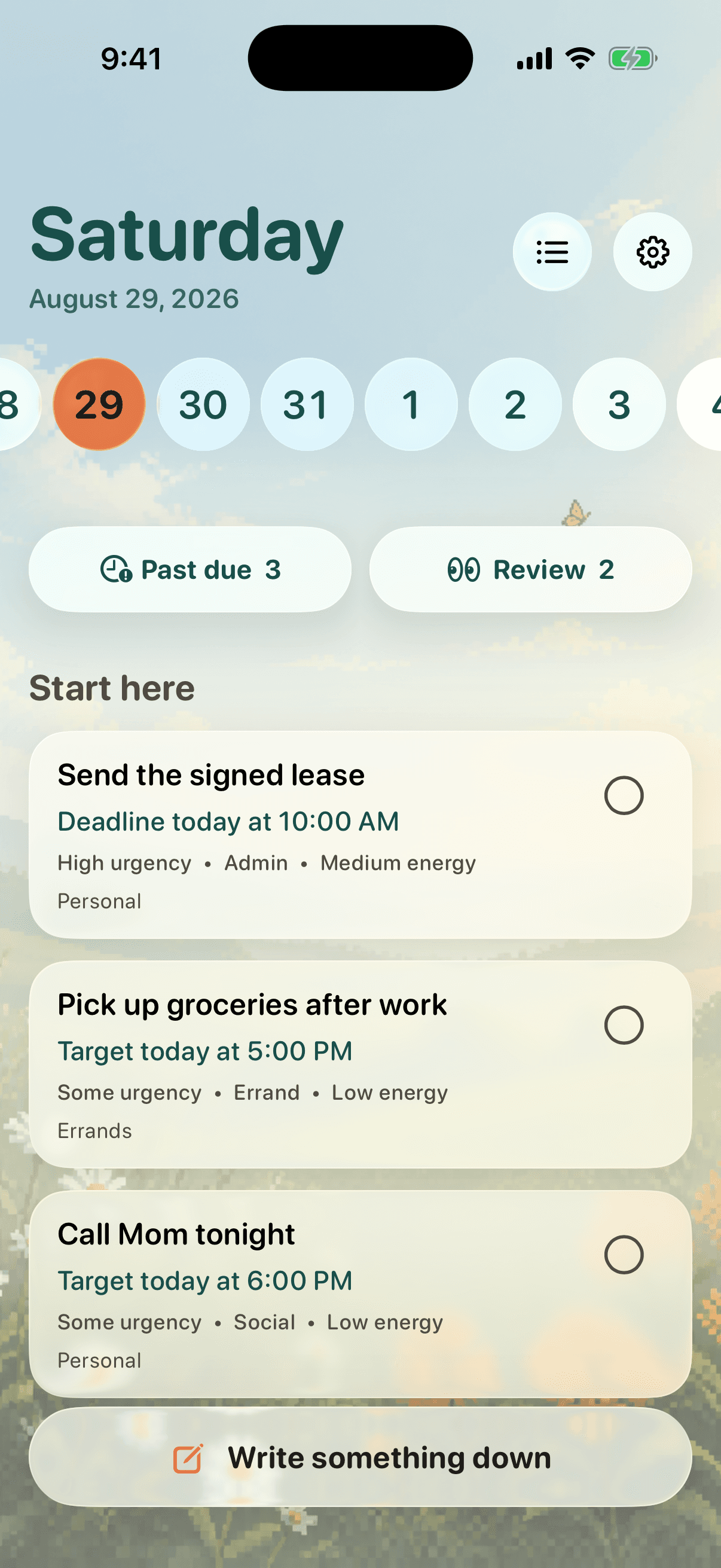
 Your day at a glance
 One thing at a time
Add reminders in your own words.
Work through old reminders one at a time.
Simple from the start
Your reminders, easier to use.
Aster works with the Apple Reminders you already have. There is nothing new to set up and no second list to manage.
Today
Start with a clear plan.
Open Aster and see the reminders that matter today, without digging through every list.
Add a reminder
Type it the way you would say it.
Write “Call Mom tomorrow at 6” and check the date, time, and list before you save.
Clean things up
Deal with old reminders without the guilt.
Aster brings back one old reminder at a time so you can keep it, change it, finish it, or delete it.
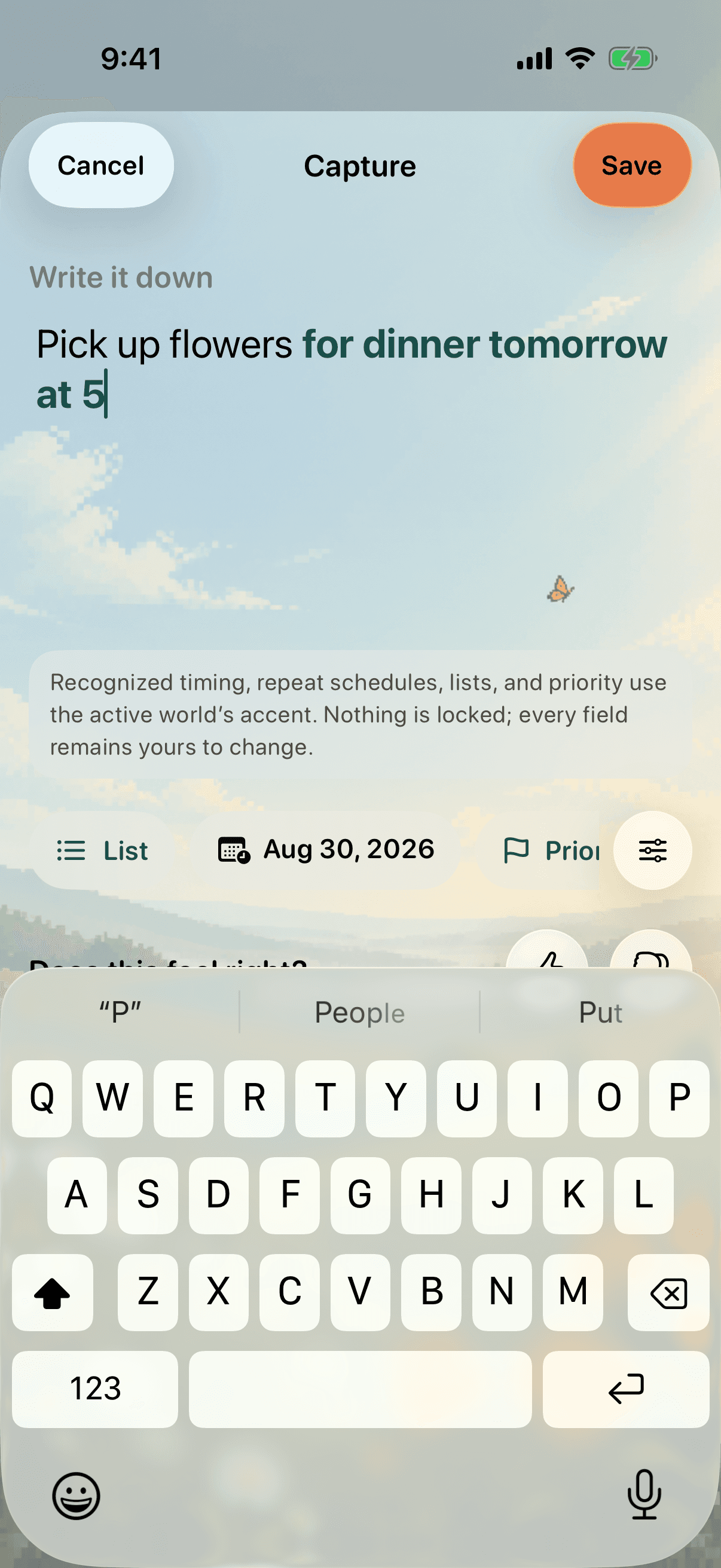
Quick capture
Write it down before you forget.
Open Aster from your Lock Screen, type what you need to remember, check the details, and save.
- ✓ Dates and times picked up from your words
- ✓ Every detail stays easy to change
- ✓ Nothing changes until you tap Save
Private by design
Your reminders stay on your iPhone.
Aster works with Apple Reminders and keeps your reminder text and personal preferences on your device. Your account is only used to sign you in.
Read the privacy policy
Aster for iPhone
A calmer way to stay on top of things.
See today clearly. Add reminders quickly. Let the rest wait.
Aster foriPhone